
Synchronizing your disco lights to the music beat transforms a simple room into an immersive, high-energy dance floor. Whether you are hosting a small home party or setting up a professional mobile DJ rig, matching the visual pulses of your lighting to the rhythm of the music is essential for creating the right atmosphere. You can achieve this synchronization using three primary methods: relying on the fixture’s built-in microphone for sound-activated lighting, connecting a direct audio cable for a cleaner signal, or using a professional DMX controller for precise, programmable control. The right choice depends on your current equipment, the layout of your venue, and how much control you want over the visual patterns.
By understanding how your fixtures receive and process audio signals, you can eliminate erratic flashing and delayed reactions. This guide walks you through the preparation steps and the three main setup methods to get your lights pulsing in perfect harmony with your sound system.
Preparation: Checking Your Equipment and Connections
Before attempting to sync your lighting setup, you must identify the specific capabilities of your light fixtures. Not all disco lights support every synchronization method, so your first step is to inspect the physical inputs and control panels on your equipment. Look at the back of each light fixture for labels, ports, and digital displays, and consult the manufacturer’s manual to confirm which modes are supported.
Products mentioned in this guide
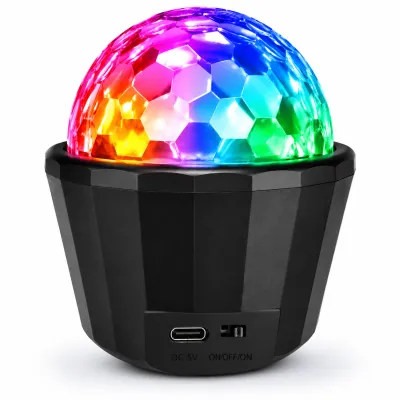
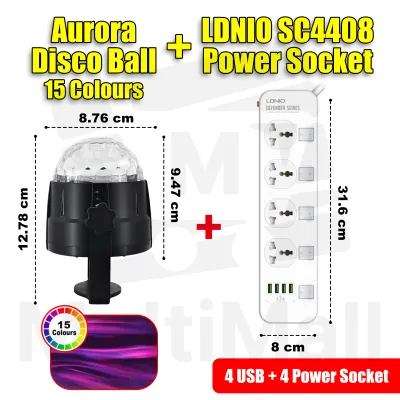
265 Lazada user ratings
Prompt delivery. Reliable seller. Wow, didnt expect there's an extension power socket too. Will be very useful. Item smaller than expected. …Read full reviewShow less
Prompt delivery. Reliable seller. Wow, didnt expect there's an extension power socket too. Will be very useful. Item smaller than expected. Works the moment it is plugged. Need to figure out the different options. Need to be careful with the clear dome shape plastic to ensure it is tightened up. Might put scotch tape. Not sure how to make the disco light stand properly on any platform as it has the plastic suction piece meant to put on tiles or glass surface.
Oh man! Amazing product at this price range! The receptive music feature on top is just cherry on the cake! Just go for it. PS- just tried, …Read full reviewShow less
Oh man! Amazing product at this price range! The receptive music feature on top is just cherry on the cake! Just go for it. PS- just tried, hope it will perform great for long time.
this is the first time what I brought this light it was colorful with much buttons in their buttons A1 to d15 this Toto another time enormou…Read full reviewShow less
this is the first time what I brought this light it was colorful with much buttons in their buttons A1 to d15 this Toto another time enormous
Bright and colorful, Perfect for parties, Amazing colors!, Easy to use, Great disco light!, Adds excitement to any event,
products look good. it was nicely packed and delivered very fast. i tried it and it is working fine.
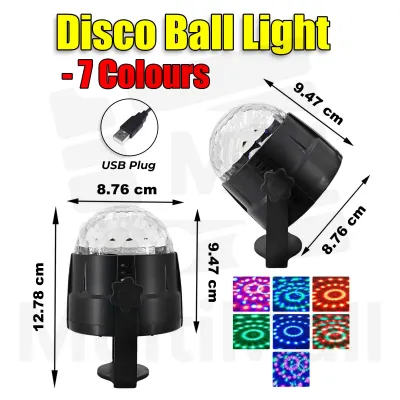
43 Lazada user ratings
Good Choice to buy, USB connection can connect to power bank and use anywhere for party time 🎅🥤🍾🎄.. Thank you Seller for the safe packaging.. 🖖😎👍…Read full reviewShow less
Good Choice to buy, USB connection can connect to power bank and use anywhere for party time 🎅🥤🍾🎄.. Thank you Seller for the safe packaging.. 🖖😎👍 WELLDONE...
Good product reasonable price. Ordered last night received it this morning!! Wow!!😝And kids loved it.
test it working. using for this year new years gathering. will see how the proformer
just okay.. nothing too fancy and will cover the basics of your disco lights needs
Super duper cute and sexy and beautiful 😂🤣really love this product thanks seller
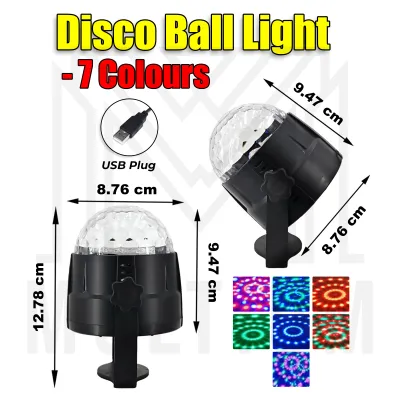
17 Lazada user ratings
Thanks seller as delivered fast. Recommended, wanted to buy again.
hi guys I'm shahjahan All ready getting my item so good thanks
nice product good seller tks
Thanks so much ,💝
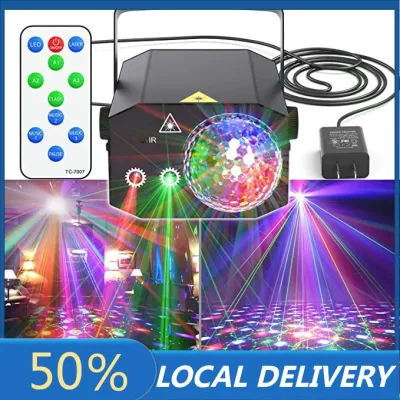
4 Lazada user ratings
👌Ease of Use:Fast installation setup, 8 🔧Durability:6 💡Brightness:8
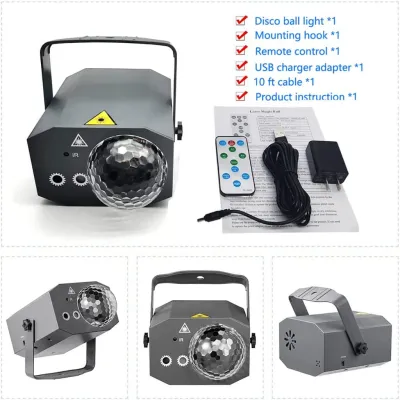
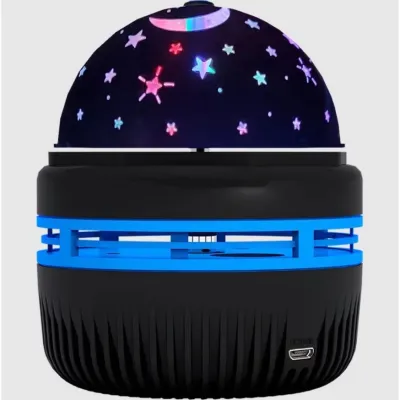
19 Lazada user ratings
Fast received, looks gorgeous and high quality. My baby was excited when we play this. Pretty colorful and rotate light. Highly recommend 👍
Fast received in 2 days. High quality led light. Small but it light up whole the room, enjoy romantic light with my son👍
But fast pace but good for the price
Received in good condition.
💡Brightness: very nice
![[SG FREE ] Usb Stage Disco Light Mini Party Light Family Atmosphere Light](https://img.lazcdn.com/g/p/2e7cf172f78dd8214cc5f5108db26c99.jpg_400x400q80.jpg_.webp)
Prices are valid at publication and may change. Please refer to the product page for the latest price.
To prepare for a successful setup, gather the necessary tools and cables based on your chosen method. If you plan to use sound activation, you will only need the fixtures and their power cables. For wired setups, you may need 3.5mm auxiliary cables, RCA-to-auxiliary adapters, or standard DMX cables. Additionally, ensure you have adequately rated power strips with surge protection to handle the total electrical load of your lighting fixtures.
Always review the manufacturer’s safety warnings regarding power loads and port locations before plugging in your equipment. Overloading a single electrical circuit or plugging audio cables into incorrect ports can permanently damage your gear. Ensure all power cables are routed away from high-traffic areas to prevent accidental trips and unplugging during your event.
Method 1: Using Built-in Microphones for Sound Activation
Using the built-in microphone is the simplest and quickest way to sync your disco lights to the music. This wireless method requires no extra cables, making it ideal for quick setups, small rooms, and beginners. The fixture’s internal microphone detects the physical sound pressure waves in the room and triggers pre-programmed light patterns whenever it registers a distinct audio peak, such as a bass drum hit.

To enable this mode, turn on your light fixture and locate the physical control panel, which usually consists of a small LED screen and a few navigation buttons. Use the menu buttons to cycle through the operating modes until you find the sound-active setting. On many fixtures, this mode is represented on the digital display by codes like “Snd”, “SoUn”, or “SENS”. Alternatively, if your light fixture came with an infrared remote control, you can simply press the button labeled “Music”, “Sound”, or “Active” to trigger the mode.
Once the sound-active mode is enabled, you must adjust the microphone’s sensitivity to match the volume of your music. If the sensitivity is set too high, the lights will react to quiet background hums or crowd chatter, resulting in constant, erratic flashing. If it is set too low, the lights will remain dark or only flash during exceptionally loud moments. Locate the physical sensitivity knob on the back of the fixture, or navigate to the sensitivity setting in the digital menu (often displayed as a range from S01 to S99). Play your music at the actual volume you plan to use during your event, and gradually adjust the sensitivity until the lights flash cleanly on the primary beats.
Positioning is critical when relying on built-in microphones. Place your light fixtures within clear line-of-sight of your speakers, ideally elevated on T-bars or light stands. Avoid placing the fixtures behind thick acoustic panels, furniture, or deep in corners where low-frequency bass notes can build up and create a muddy acoustic environment. If you notice delayed reactions or a failure to trigger on softer beats, try moving the fixtures closer to the speakers or turning up the lower frequencies (bass) on your audio equalizer to give the microphones a clearer transient peak to track.
Method 2: Wired Audio Sync via Auxiliary or Line-In Cables
For a more reliable connection that bypasses ambient room noise and crowd interference, a wired audio sync is the preferred choice. This method sends an electrical audio signal directly from your sound source to the light fixture, ensuring that the lights only react to the actual music track and not to shouting guests or clinking glasses. This setup is highly recommended for larger venues, noisy bars, or events with live microphones.
To begin, you must connect your audio source to the light fixture’s audio input port. Your audio source could be a dedicated booth output on a DJ mixer, an auxiliary output on an audio interface, or a hardware audio splitter connected to your playback device. Run an appropriate audio cable—typically a 3.5mm auxiliary cable or an RCA-to-auxiliary cable—from this output directly into the port labeled “Audio In”, “Line In”, or “Aux In” on the back of your light fixture.
After making the physical connection, configure the light fixture’s internal menu to prioritize the line-in signal. Access the control panel on the back of the light and navigate to the input settings. Select the option that disables the internal microphone and activates the auxiliary input. This ensures the fixture’s internal processor analyzes the clean, incoming electrical signal rather than the acoustic sound waves in the room.
Next, you must balance the audio output levels to achieve a clean trigger. If the output volume from your mixer or playback device is too low, the light fixture will not receive enough voltage to trigger its patterns. Conversely, if the signal is too hot, it will cause clipping, forcing the lights to stay constantly illuminated or flash in a chaotic, non-rhythmic pattern. Start with your audio source volume set to zero, play a track, and slowly increase the output volume until the lights begin to pulse in perfect synchronization with the music.
Always observe a strict safety check before powering on this setup. Stop immediately if your light fixture does not have a port explicitly labeled for audio input. Never attempt to plug an audio source into a DMX port, power input, or other control jack, as the voltage differences can permanently damage both your audio equipment and the light fixture. If your light lacks a dedicated audio-in port, stop and use either the sound-activated microphone or a DMX setup instead.
Method 3: Professional DMX Control for Precise Synchronization
For advanced users who want complete, programmable control over their light show, DMX (Digital Multiplex) is the industry standard. Unlike sound-active modes, which rely on the fixture’s internal programming, DMX allows you to design custom light sequences, control specific colors, adjust strobe speeds, and synchronize complex movements to exact moments in a song or live performance.
To set up a DMX system, you must daisy-chain your fixtures together using dedicated DMX cables. Connect the DMX Out port of your controller to the DMX In port of your first light fixture. Then, run a DMX cable from the DMX Out of the first fixture to the DMX In of the second, repeating this process for all subsequent lights. To prevent signal reflection and erratic flickering, plug a DMX terminator (a simple XLR plug containing a 120-ohm resistor) into the DMX Out port of the final fixture in your chain. Finally, set a unique DMX start address on each fixture using its digital menu (such as d001 for the first fixture and d017 for the second, depending on how many channels each light requires).
Next, connect your DMX controller or a USB-to-DMX interface to your computer or hardware console. If you are using a computer-based setup, ensure you have installed the correct drivers for your interface and opened your preferred lighting control software. Popular software options allow you to map your fixtures by selecting their specific brand and model profiles from a built-in library, which assigns the correct control channels for colors, movement, and intensity.
To sync the lights to the music, use the lighting software’s beat-mapping or timecode features. Many modern lighting programs can analyze incoming audio from your DJ software or an external microphone in real-time to calculate the Beats Per Minute (BPM). You can configure the software to trigger specific lighting cues, color changes, or movement sweeps on every beat, every second beat, or on the first beat of every bar. For pre-recorded shows, you can manually program cues along a timeline that matches the audio track’s waveform.
Once your sequence is programmed, play your test track to verify the timing. If you notice a slight delay between the physical sound of the beat and the visual flash of the lights, look for the latency or timing offset settings in your lighting software. Adjust these settings by a few milliseconds until the visual output aligns perfectly with the audio track, ensuring a polished, professional performance.
Testing and Fine-Tuning Your Light Show
With your chosen synchronization method configured, you must thoroughly test the system before your audience arrives. Prepare a test playlist containing a variety of tracks with different tempos, dynamic ranges, and heavy bass lines. This variety allows you to observe how your lights adapt to sudden changes, such as a transition from a high-energy dance track to a slower, more atmospheric song.
As the music plays, watch the behavior of the lights closely. If the lights feel too intense or distracting during slower segments, adjust the fixture dimmers, slow down the strobe rates, or switch to smoother color macros via your controller or remote. The goal is to match the visual energy of the lighting to the emotional energy of the music, using fast, bright strobes for high-tempo climaxes and slow, warm color fades for quieter moments.
Finally, perform a physical safety and stability check of your entire setup. Ensure all audio, DMX, and power cables are neatly organized and secured to the floor using high-quality gaffer tape to prevent tripping hazards. Double-check your power connections to ensure that the total wattage of your lighting rig does not exceed the safe operating limits of your venue’s electrical circuits. Taking these final precautions ensures your synchronized light show runs safely and flawlessly throughout your event.
Frequently Asked Questions (FAQ)
Can I sync wireless Bluetooth speakers with wired disco lights?
Syncing wireless Bluetooth speakers with wired disco lights can be challenging due to the latency inherent in wireless audio transmission. Bluetooth signals take a fraction of a second to travel from your playback device to the speakers, whereas a wired light fixture receives the audio signal instantly. This difference causes the lights to flash slightly before you actually hear the beat from the speakers.
To resolve this latency issue and achieve perfect synchronization, use a hardware audio splitter connected directly to your playback device’s headphone jack. Send one wired output to your light fixture’s audio-in port and the other wired output directly to your speakers using an auxiliary cable. By keeping both paths wired, you eliminate the wireless delay and ensure the lights and music pulse in perfect unison.
Why are my sound-activated lights flashing randomly instead of to the beat?
If your sound-activated lights are flashing randomly, the most common cause is an overly high microphone sensitivity setting. When the sensitivity is set too high, the fixture’s internal microphone registers ambient room noise, crowd chatter, and mid-range frequencies as beats, causing continuous and chaotic flashing.
To fix this issue, lower the microphone sensitivity on the back of the fixture or through its digital menu until the lights only respond to distinct bass notes. Additionally, try repositioning the fixture closer to your speakers or subwoofers, as low-frequency thumps are much easier for the microphone to isolate. If the room remains too noisy, switching to a wired line-in connection or using a DMX setup will provide a more stable and accurate beat-tracking experience.
Community discussion
Share your experience or ask a question. Comments are reviewed before publication.