
Choosing your first synthesizer keyboard is a pivotal step in starting electronic music production. The right instrument acts as both a creative spark and a practical bridge to your digital audio workstation (DAW). For beginners, the primary decision lies between a standalone hardware synthesizer—which generates its own audio signals—and a dedicated MIDI controller keyboard that triggers software instruments on a computer. Making this choice requires a clear understanding of your production goals, physical workspace, and preferred learning style. By focusing on essential specifications rather than complex features, you can select a keyboard that simplifies the learning curve while providing room for long-term artistic growth.
Core Specifications to Evaluate for Electronic Music Production
When evaluating a synthesizer keyboard, the physical keybed is your primary point of contact. Key count directly influences both playability and the amount of desk space the instrument occupies. Beginners typically choose between 25, 37, 49, or 61 keys. A 25-key or 37-key layout is highly portable and fits easily on a crowded desk, making it ideal for programming basslines, lead melodies, and drum patterns. However, if you plan to play two-handed piano parts or complex chord progressions, a 49-key or 61-key instrument provides the necessary range without requiring constant octave-shifting.
The action of the keys also plays a significant role in how the instrument feels. Most beginner synthesizer keyboards feature synth-action keys, which are lightweight, springy, and designed for rapid synth lines and drum triggering. Semi-weighted keys offer slightly more physical resistance, providing a compromise that feels closer to an acoustic piano while remaining responsive enough for fast electronic playing. If you have a background in traditional piano, semi-weighted keys may feel more natural, whereas pure electronic producers often prefer the quick response of synth-action keys.
Products mentioned in this guide
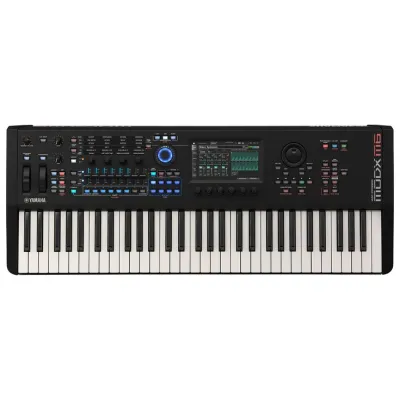
![Roland XPS-10X 61 Keys Expandable Synthesizer Keyboard XPS 10 Series [LIMITED STOCK]](https://img.lazcdn.com/g/p/f869015a932a186f6d4e0c7df2f76896.png_400x400q80.png_.webp)
![Yamaha CK61 CK88 Portable Stage Keyboard Piano 61 88 Keys Synthesizer with Speaker [LIMITED STOCK]](https://img.lazcdn.com/g/p/a999b7748d0d1d30fa098f6f6784723e.png_400x400q80.png_.webp)
![KORG Kross 2 61 88 Keys Portable Synthesizer Keyboard Piano USB Audio Midi Interface Battery Operated Electronic Instrument The Music Works Store [LIMITED STOCK]](https://img.lazcdn.com/g/p/ec70dbb4b968130deb27aa56fbb1d2c8.jpg_400x400q80.jpg_.webp)
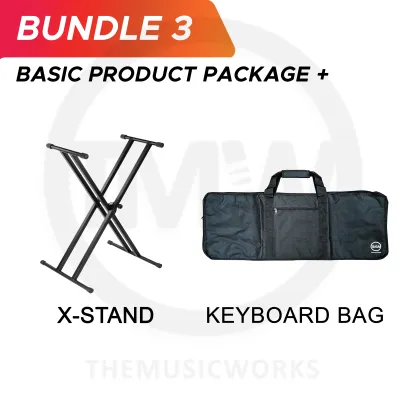

Prices are valid at publication and may change. Please refer to the product page for the latest price.
Understanding the difference between polyphony and monophony is crucial when selecting a hardware synthesizer. A monophonic synthesizer can only produce one note at a time. While this might sound like a limitation, monophonic synths are highly prized for creating powerful, focused basslines and soaring lead sounds. In contrast, a polyphonic synthesizer can play multiple notes simultaneously, allowing you to perform chords, pads, and layered textures. If you want to play traditional harmony or create lush ambient backdrops, a polyphonic instrument is essential.
Another fundamental distinction is whether the keyboard features a built-in sound engine or acts purely as a MIDI controller. A keyboard with a built-in sound engine is a true hardware synthesizer; it generates audio internally and can produce sound without being connected to a computer. A pure MIDI controller keyboard does not make any sound on its own. Instead, it sends digital control data to your computer, triggering virtual instruments inside your DAW. Beginners should decide early on whether they want the independence of a standalone instrument or the cost-effective flexibility of a software-based setup.
Finally, look for onboard creative tools such as arpeggiators, sequencers, and effects. An arpeggiator automatically steps through the individual notes of a chord in a rhythmic pattern, which is a staple technique in electronic music genres like synthwave and techno. A built-in sequencer allows you to record a series of notes and play them back in a loop, letting you tweak synthesizer parameters in real time while the pattern plays. Onboard effects like delay, reverb, and chorus add depth and space to your sounds directly from the hardware, reducing the need for immediate software processing.
Hardware Synthesizers vs. MIDI Controllers: Choosing Your Workflow
Deciding between a hardware synthesizer and a MIDI controller paired with software is one of the most important workflow decisions you will make. Hardware synthesizers offer a tactile, hands-on learning experience that software struggle to replicate. Having a dedicated physical knob or slider for every parameter—such as filter cutoff, resonance, and envelope attack—allows you to build an intuitive understanding of subtractive synthesis. This physical interaction encourages spontaneous sound design, as you can adjust multiple controls simultaneously with both hands.

However, hardware synthesizers are generally more expensive per sound and take up significant physical space in a home studio. They also require additional hardware, such as an audio interface and audio cables, to record their sounds into a computer. For producers working in small spaces or on a limited budget, a hardware-only workflow can quickly become cumbersome and costly.
On the other hand, a MIDI controller paired with software plugins offers unparalleled cost-effectiveness and sonic expandability. Modern digital audio workstations come packed with highly sophisticated software synthesizers that can emulate classic analog gear or generate entirely new digital textures. A single MIDI controller can control thousands of different virtual instruments, giving you access to an endless library of sounds. Furthermore, software instruments provide clear visual feedback on your computer screen, showing you exactly how waveforms change as you adjust parameters.
A hybrid setup represents an excellent middle ground for many beginners. In this configuration, you use a MIDI controller that features physical knobs, faders, and drum pads, mapping these physical controls to your software plugins. This approach combines the tactile feel of hardware with the infinite flexibility and low cost of software. Many modern MIDI controllers feature pre-mapped templates for popular software synthesizers, allowing you to control your virtual instruments without ever touching your computer mouse.
When choosing your path, consider your long-term workflow goals. If you find yourself easily distracted by computer screens and notifications, a standalone hardware synthesizer can provide a focused, screen-free environment that fosters pure creativity. If you prefer a streamlined setup where all your projects, sounds, and mixing tools are contained within a single computer, a high-quality MIDI controller is the more logical and scalable choice.
Connectivity and DAW Compatibility Checks
Before purchasing any synthesizer keyboard, you must ensure it can connect seamlessly to your existing computer and studio gear. The most common connection protocol for modern keyboards is USB-MIDI. This single cable transmits MIDI data between your keyboard and computer, allowing you to play virtual instruments and record your performance. If you plan to connect your keyboard directly to other hardware instruments, drum machines, or external sequencers without using a computer, look for traditional 5-pin MIDI In and Out ports.
Power requirements are another practical consideration. Many compact MIDI controllers and smaller synthesizers are USB bus-powered, meaning they draw all the electricity they need directly from your computer’s USB port. This simplifies cable management and makes your setup highly portable. However, larger keyboards, semi-weighted controllers, and most hardware synthesizers require a dedicated external power supply. Ensure you have enough available power outlets near your desk, and verify whether the manufacturer includes the necessary AC adapter in the box.
Operating system compatibility and native DAW integration can make or break your user experience. While most modern keyboards are class-compliant—meaning they work immediately on macOS and Windows without requiring manual driver installations—some advanced features may require proprietary software. Check if the keyboard offers native integration with your specific DAW, such as Ableton Live, Logic Pro, FL Studio, or Cubase. Native integration allows the keyboard’s transport controls (play, stop, record) and mixing faders to automatically map to your software’s interface, saving you hours of manual configuration.
For hardware synthesizers, you must also consider how you will capture the actual audio. Unlike MIDI controllers, which only send digital data, hardware synths output analog audio signals. To record these sounds into your computer, you will need an audio interface with 1/4-inch line inputs and high-quality audio cables. If you plan to record in stereo, ensure your audio interface has at least two available inputs to capture the full spatial depth of your synthesizer’s chorus, delay, or panning effects.
Building Your Shortlist Based on Production Goals
To build a practical shortlist, you must align your keyboard choice with your specific production style. If your primary goal is beatmaking or hip-hop production, prioritize a keyboard that includes integrated, velocity-sensitive drum pads and an onboard sequencer. These pads allow you to finger-drum and trigger samples naturally, while the keys can be reserved for basslines and chord progressions. This dual-interface design maximizes efficiency in a compact footprint.
If you are drawn to sound design, ambient music, or cinematic scoring, your priority should be deep modulation capabilities. Look for a synthesizer keyboard that offers a generous array of physical knobs, sliders, and a responsive modulation wheel. Having direct physical access to parameters like low-frequency oscillators (LFOs) and filter envelopes is essential for creating evolving, expressive textures. For live performance, prioritize lightweight construction, robust chassis materials, and clear visual indicators that remain visible on dark stages.
Budget allocation is another critical factor. When planning your purchase, avoid spending your entire budget on the keyboard itself. A complete electronic music production setup requires several supporting components. If you buy a hardware synthesizer, you must set aside funds for an audio interface, high-quality 1/4-inch audio cables, and a sustain pedal. Regardless of whether you choose hardware or software, you will also need accurate monitoring tools, such as a pair of active studio monitors or high-quality studio headphones, to hear your sounds clearly and mix your tracks accurately.
When shopping in Singapore, it is highly recommended to purchase from authorized local dealers. This ensures that your instrument is covered by a valid local warranty and comes with the correct power plug adapters for Singapore outlets. Before making a decision, verify current stock levels and warranty terms directly with the retailer. Be cautious of online listings on unauthorized marketplaces that offer unusually low prices, as these may lack local warranty support or include non-standard power supplies.
Finally, learn to identify red flags in product descriptions. Be skeptical of keyboards that claim universal compatibility without listing specific supported operating systems or DAW versions. Watch out for vague polyphony specifications on hardware synths, as some budget models may only offer paraphonic playability (where multiple oscillators share a single filter and envelope) rather than true polyphony. Always verify that the connection ports match standard industry formats rather than proprietary, non-standard connectors that will limit your ability to expand your studio in the future.
Pre-Purchase Verification and Studio Setup
Once you have selected your synthesizer keyboard, performing a few pre-purchase and initial setup checks will ensure a smooth start to your production journey. Before unboxing your new instrument, visit the manufacturer’s official support portal. Download the latest user manual, control software, and any necessary USB drivers for your operating system. Manufacturers frequently release firmware updates that fix bugs, improve DAW compatibility, and sometimes even add new features to the instrument.
Many beginner keyboards come bundled with valuable software licenses, including introductory versions of popular DAWs, virtual instrument libraries, and educational software. Before purchasing, verify exactly what software is included in the bundle, as this can save you hundreds of dollars in software costs. Once your keyboard arrives, register the serial number on the manufacturer’s website immediately to claim your software licenses and activate your warranty.
When setting up your keyboard for the first time, refer to the quick start guide to configure your MIDI settings. If you are using a hardware synthesizer with a DAW, you will likely need to turn off Local Control in the synthesizer’s system menu. This disconnects the physical keyboard from the internal sound engine, routing the MIDI data through your DAW first before sending it back to the synthesizer. This prevents double-triggering, where notes are played twice and cut off abruptly.
If you encounter connection drops, driver failures, or hardware conflicts during setup, do not attempt to force connections or modify system files blindly. Stop and consult the manufacturer’s official troubleshooting guides, search their user forums, or contact their customer support team. If physical components appear damaged or the keyboard fails to power on, contact your authorized local dealer in Singapore immediately to arrange for a professional inspection or replacement under warranty.
Frequently Asked Questions (FAQ)
Do I need a synthesizer keyboard with built-in speakers?
No, built-in speakers are not necessary for electronic music production. While they are convenient for casual practice or portable play, built-in speakers lack the frequency response and accuracy required for music production. To design sounds and mix tracks effectively, you should connect your synthesizer keyboard to an audio interface paired with dedicated studio monitors or high-quality studio headphones.
Can I use a standard MIDI keyboard instead of a dedicated synthesizer?
Yes, a standard MIDI keyboard is an excellent and highly cost-effective alternative to a dedicated hardware synthesizer. When paired with a computer, a MIDI keyboard can control a vast array of software synthesizers inside your DAW. This setup offers far greater sound variety, easier project recall, and lower overall costs, making it the preferred choice for many modern electronic music producers.
How many keys should a beginner synthesizer have?
The ideal key count depends on your physical space and playing style. A 25-key keyboard is highly portable and perfect for compact desks, beatmaking, and simple basslines. A 49-key keyboard offers a balanced middle ground, providing enough range for two-handed playing while still fitting comfortably on most production desks. A 61-key or larger keyboard is best if you have piano-playing experience and want to perform complex, wide-ranging arrangements.
Community discussion
Share your experience or ask a question. Comments are reviewed before publication.